QuickBooks Desktop Compliance for Israel
How QuickBooks Desktop Supports Invoicing
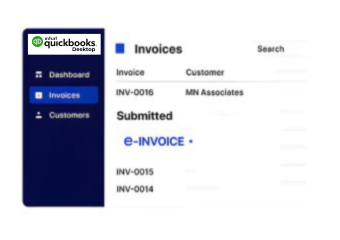
- QuickBooks Data Transfer: Invoice information flows from QuickBooks Desktop into Advintek for validation and Israel-focused electronic invoicing.
- Invoice Detail Review: Advintek reviews QuickBooks invoice fields for completeness, consistency, and readiness before connected processing continues.
- Allocation Data Handling: Relevant invoice information supports allocation-number activities through structured workflows designed around Israel invoicing requirements.
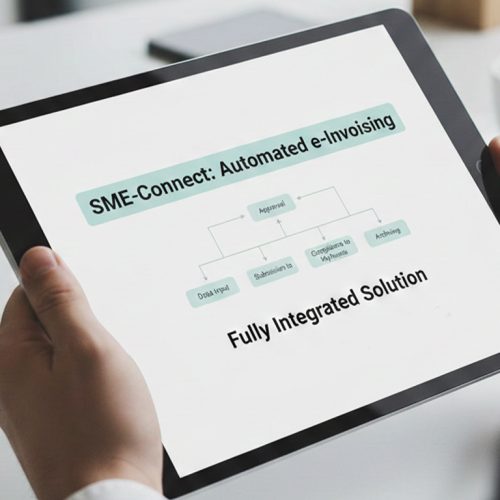
- Controlled Workflow Routing: Validated invoice records pass through defined stages, supporting consistent handling across connected accounting operations.
- Tax Authority Connectivity: Advintek facilitates Tax Authority processing while QuickBooks Desktop remains integrated with established financial workflows.
- Electronic Record Storage: Completed invoice information is organized within digital records for financial access, review, and documentation.
What Advintek Adds to QuickBooks Desktop
Advintek adds an Israel-focused E-Invoicing Software layer around QuickBooks Desktop, supporting ITA allocation workflows, invoice validation, verification, and digital record management.
- Connects QuickBooks Desktop with Israel invoicing workflows
- Supports allocation-number processing through integrated workflows
- Validates invoice details before electronic processing
- Organizes digital records for accounting teams
What QuickBooks Desktop Users Gain
- Connected Invoice Management: QuickBooks Desktop data follows structured electronic invoicing processes without disrupting established accounting activities.
- Stronger Data Consistency: Automated checks help identify incomplete or inconsistent invoice information before connected processing continues.
- Fewer Repetitive Tasks: Integrated workflows reduce manual invoice preparation, checking, and documentation activities across accounting operations.
- Improved Process Awareness: Finance teams can monitor invoice activity across validation, allocation, processing, and record-management stages.
- Organized Invoice Documentation: Structured digital workflows help maintain accessible invoice records across QuickBooks Desktop and connected systems.
- Flexible ERP Connectivity: Advintek links QuickBooks Desktop with ERP environments requiring coordinated financial and invoicing information.
One Compliance Layer for Every Invoice
Allocation Data Management
Handle relevant invoice information for allocation-number workflows while maintaining connected electronic records.
Supplier Data Verification
Support supplier invoice reviews through connected information checks and structured verification processes.
Invoice Workflow Control
Manage processing stages and exceptions through organized workflows connected with accounting operations.
Israel Businesses Using QuickBooks Desktop
Advintek supports QuickBooks Desktop users across professional services, consulting, retail, distribution, agencies, and commercial organizations seeking structured electronic invoicing.
- Process customer invoices through QuickBooks Desktop
- Connect accounting records with ERP platforms
- Support recurring billing through digital workflows
- Organize documentation for finance and accounting
Modernize Your Digital Invoice Management
Advintek connects QuickBooks Desktop with Israel e-invoicing workflows.
Start your connected QuickBooks Desktop workflow today.
Ready e-Invoice System
Frequently Asked Questions QuickBooks Desktop e-Invoicing Israel
Is QuickBooks Desktop suitable for Israel e-invoicing integration?
QuickBooks Desktop can remain part of an established accounting environment while Advintek provides the connected E-Invoicing Software layer. Invoice information can be transferred for validation, structured processing, allocation-related activities, and electronic record management without requiring businesses to replace their existing accounting workflows.
Where does Invoice Factory fit within QuickBooks Desktop workflows?
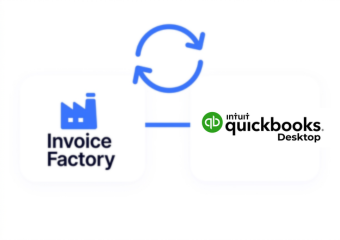
Invoice Factory operates between QuickBooks Desktop and connected electronic invoicing processes. It can receive relevant invoice information, apply validation and processing rules, coordinate allocation-related activities, and organize digital records while QuickBooks Desktop continues handling core accounting and invoice creation functions.
What QuickBooks Desktop data can Advintek process?
Advintek can process relevant invoice information generated within QuickBooks Desktop, including customer details, invoice information, tax-related fields, and other data required for connected electronic invoicing workflows. The integration helps structure this information for validation and subsequent processing within an Israel-focused invoicing environment.
How can ERP systems work with QuickBooks Desktop and Advintek?
Businesses using QuickBooks Desktop alongside another ERP can use Advintek as a connecting layer between their financial systems and electronic invoicing processes. This helps coordinate invoice information across applications while allowing each system to continue supporting its designated accounting, operational, or business functions.
Can Advintek support invoice records after processing?
Advintek can organize processed electronic invoice information within structured digital records. This gives accounting teams a connected record-management process for reviewing invoice activity, maintaining documentation, and accessing relevant information alongside their QuickBooks Desktop accounting environment and other integrated business systems.