

Loyverse POS Data for Israel E-Invoicing
How Loyverse POS Records Reach Advintek
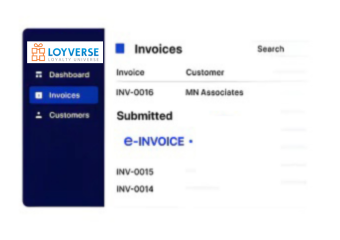
- Sales Data Intake: Loyverse POS transaction information enters Advintek with retail details for invoice preparation and processing.
- Receipt Record Matching: Purchase and customer information is associated with corresponding records before electronic invoice processing begins.
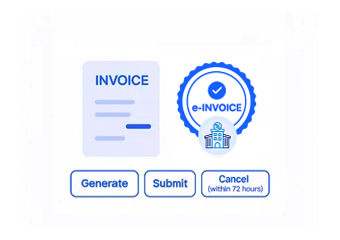
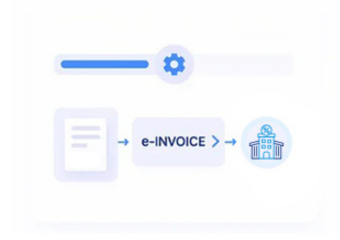
- Invoice Data Assembly: Available transaction details are organized into structured records for subsequent electronic invoicing activities and review.
- Tax Workflow Alignment: Relevant tax information follows configured procedures supporting Israeli invoice preparation and relevant documentation requirements.
- Allocation Process Routing: Applicable records proceed through workflows associated with applicable allocation-number requirements for Israeli tax invoices.
- ERP Record Transfer: Completed invoice information can connect with financial platforms for reconciliation and continued accounting administration.
What Advintek Adds to Loyverse POS
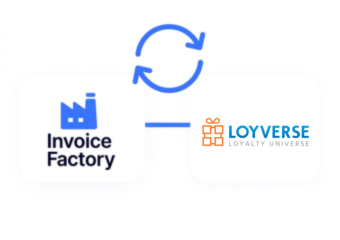
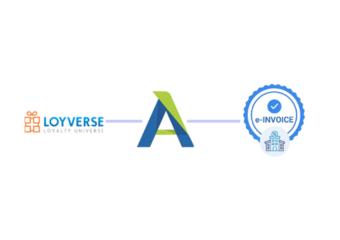
The Loyverse POS connector links store-level transactions with Advintek’s Israel-focused electronic invoicing environment. It provides a structured route between retail sales, invoice processing, and wider financial systems while allowing the POS platform to continue supporting everyday store operations.
- Captures retail transactions from Loyverse POS
- Organizes receipt information for invoice processing
- Aligns customer details with invoice records
- Shares processed information with ERP systems
Practical Benefits for Loyverse POS Users
- Retail Process Coordination: Loyverse POS remains focused on store transactions while Advintek manages specialized electronic invoicing activities.
- Consistent Invoice Preparation: Connected workflows organize relevant sales information before records enter subsequent electronic invoicing processes and activities.
- Financial System Connectivity: Structured information exchange links point-of-sale activity with accounting teams and wider ERP business environments.
- Reduced Manual Handling: Automated record transfer can limit repeated entry between retail applications and connected financial systems.
- Organized Document Management: Electronic invoice records remain accessible for review, reconciliation, reference, and supporting ongoing financial documentation.
- Broader ERP Integration: Advintek connects Loyverse POS invoicing information with wider accounting and enterprise technology business environments.
Core E-Invoicing Tools for Loyverse POS
Sales Record Matching
Compare Loyverse POS sales information with corresponding invoice records for clearer financial reconciliation.
Location Data Review
Examine location-based transaction records alongside invoicing information within connected retail and financial workflows.
Tax Field Mapping
Map relevant retail transaction fields against configured Israeli electronic invoice requirements and workflows.
Loyverse POS Workflows Across Israel
Advintek supports Loyverse POS businesses across retail stores, specialty outlets, food service operations, franchises, and other point-of-sale environments. Connected workflows help coordinate store transactions with accounting teams, ERP platforms, and Israel-focused electronic invoicing processes.
- Connect store sales with accounting operations
- Coordinate receipts across financial applications
- Link retail information with ERP workflows
- Organize invoice records for finance teams
Connect Store Transactions With Invoices
Connect Loyverse POS with Israel e-invoicing through Advintek.
Strengthen your connected retail finance workflow.
Ready e-Invoice System
Frequently Asked Questions Loyverse e-Invoicing Israel
What role does Loyverse POS retain after ERP integration?
Loyverse POS can continue managing retail sales, receipts, customer transactions, and store-level activities while the ERP handles broader financial operations. Advintek provides the connection between these environments, allowing relevant Loyverse POS information to support Israel E-Invoicing Software workflows without changing the primary responsibilities of the retail platform or existing ERP system.
Which Loyverse POS records can support Invoice Factory processing?
Relevant Loyverse POS information can include transaction details, receipt data, customer information, billing details, product information, quantities, and applicable tax fields. Invoice Factory can receive suitable information through the connected Advintek workflow, organize invoice records, apply configured processing steps, and support allocation-related activities for Israeli electronic invoicing while preserving references to originating retail transactions.
How can Loyverse POS connect with an existing ERP?
Loyverse POS can remain dedicated to store operations while an existing ERP continues handling accounting, financial records, inventory, and broader business processes. Advintek can establish the connection between these systems, allowing relevant retail information to enter electronic invoicing workflows while processed invoice records support the wider ERP environment and associated financial activities.
Where are allocation-number workflows handled for Loyverse POS invoices?
Allocation-number processing is associated with Israel Tax Authority services rather than the core Loyverse POS application. Advintek can organize relevant invoice information and support the connected workflow, while the Tax Authority provides the applicable allocation service. This separates retail activity from specialized tax-invoicing processes and helps maintain supporting invoice records for financial review.
Can Loyverse POS information support supplier invoice verification?
Supplier invoice verification is separate from the primary functions of a retail Loyverse POS platform. Israel Tax Authority services allow authorized users to verify supplier invoice information using an allocation number. Advintek can organize relevant invoice records within connected financial workflows, supporting coordination with accounting and ERP teams while maintaining appropriate transaction references for review.